
When you buy something…
- Think a lot and get lost?
- Lost in too many tabs while shopping?
- If AI suggests it, do you just buy it?
- Hate using spreadsheets to compare price combinations?
- Sellers: want to create visual quotes with customers?
Compare Clearly, Choose Easily
No more getting lost in browser tabs!
Banban Board™ is a shared board where you can organize your wish list and product bookmarks by priority just by arranging cards, making shopping decisions easier.
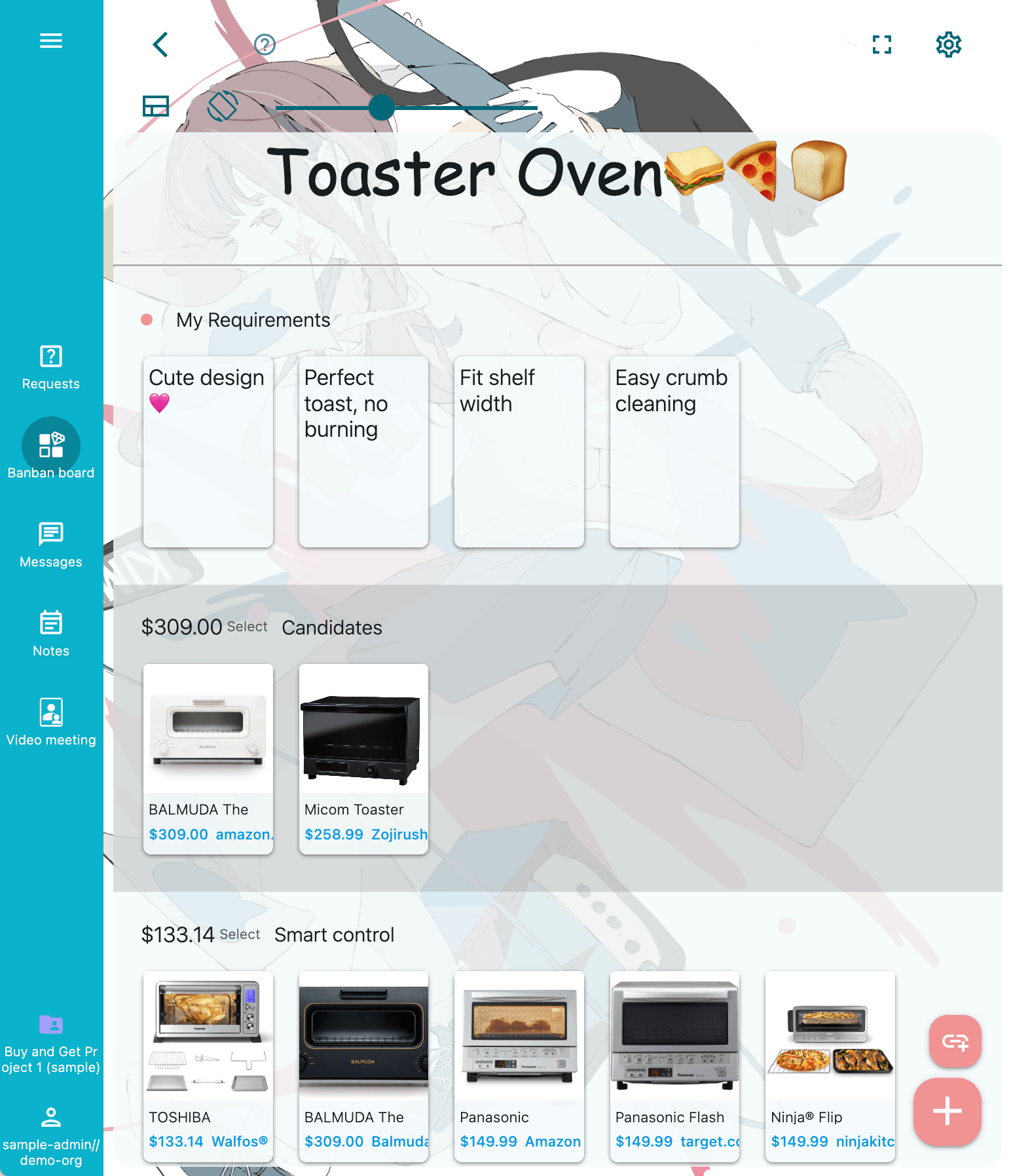
From any site — recommendations by ChatGPT, YouTube, Google, Amazon, or apparel and cosmetics sites — just drop in links that catch your interest. They turn into cards with photos and prices.
Turn all those “Which should I buy?” and “What were its features again?” thoughts in your mind into visible cards. Rearrange and compare them by priority to clarify your ideas and choose what suits you best.
Compare items side by side, check combinations and total prices, and simulate budget plans. Easier than spreadsheets, and shareable for personal use, families, or teams.
It’s not a shop, social network, comparison site, or AI search, but a new kind of tool that supports you from the first idea to the final decision.
Quick Bookmark

Add more and more cards (banban!) from different stores, as you like.
Cards are instantly created with images, prices, and details.
Compare and Choose
Move better cards to higher rows, and within a row, toward the left. The top row, leftmost card is your choice.
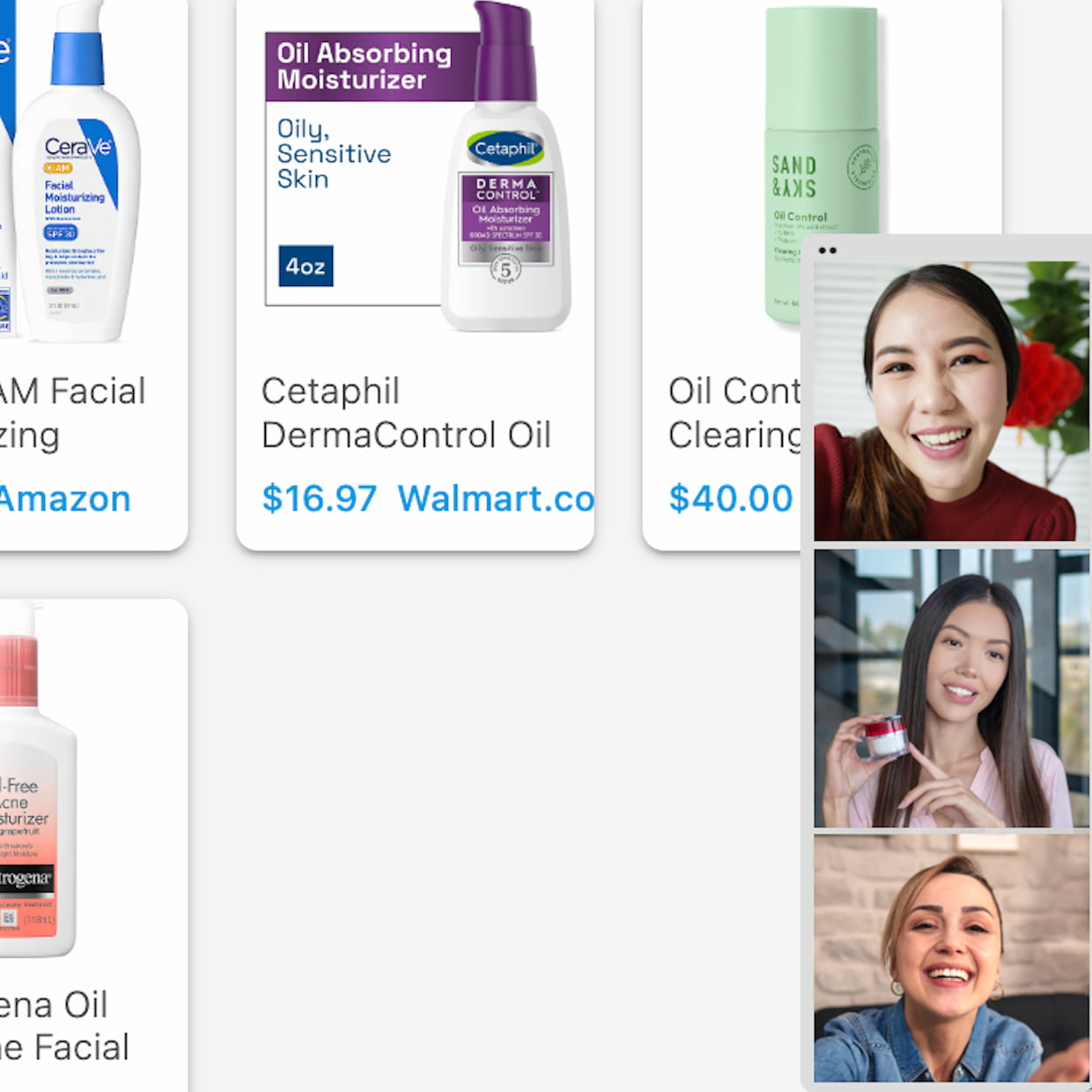
Solo, with friends, or in your company
Invite others to your organization. Chat through messages and video meetings.
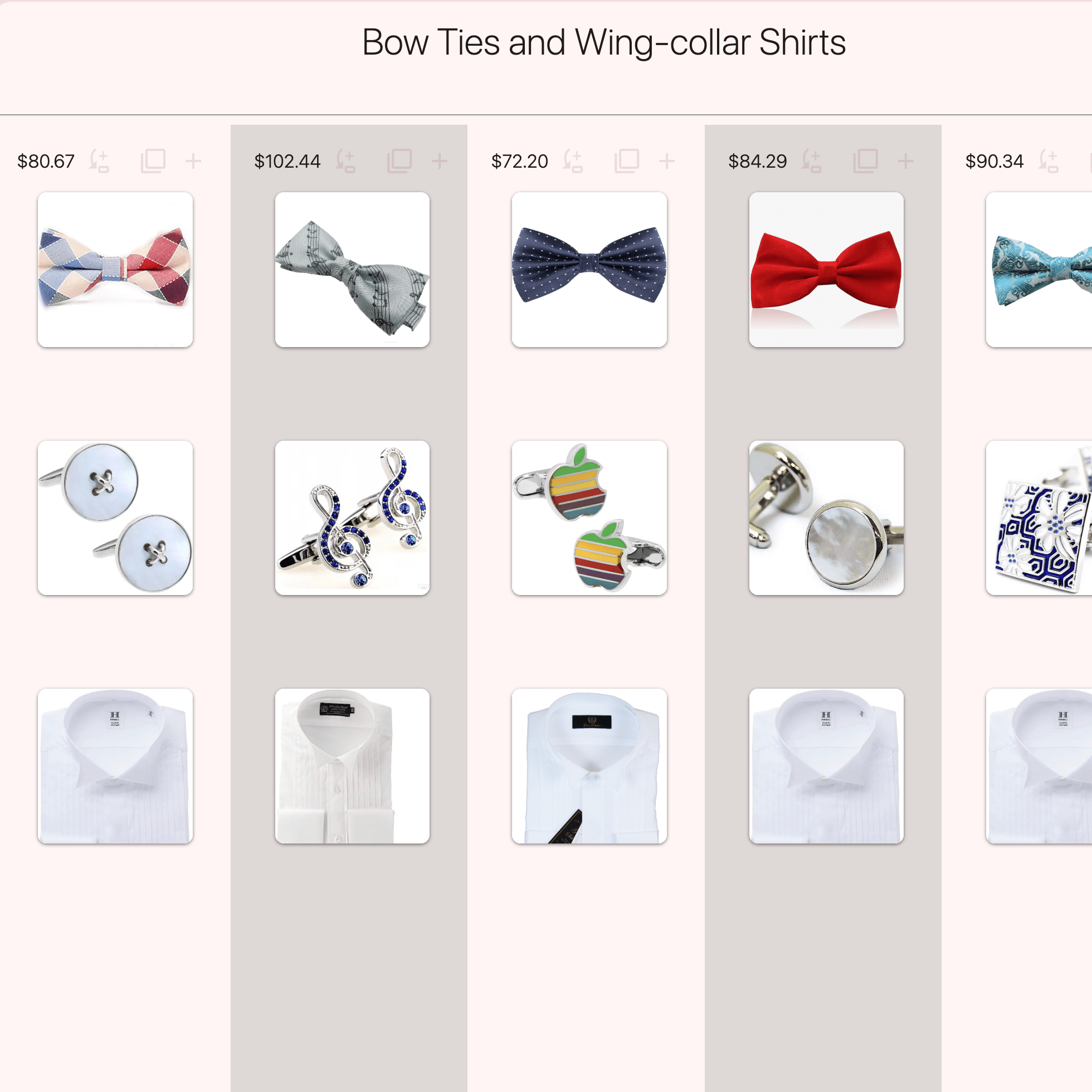
Coordinate Outfits
In vertical mode, you can mix and match tops and bottoms. You can also coordinate with clothes you already own.
Banban Calc
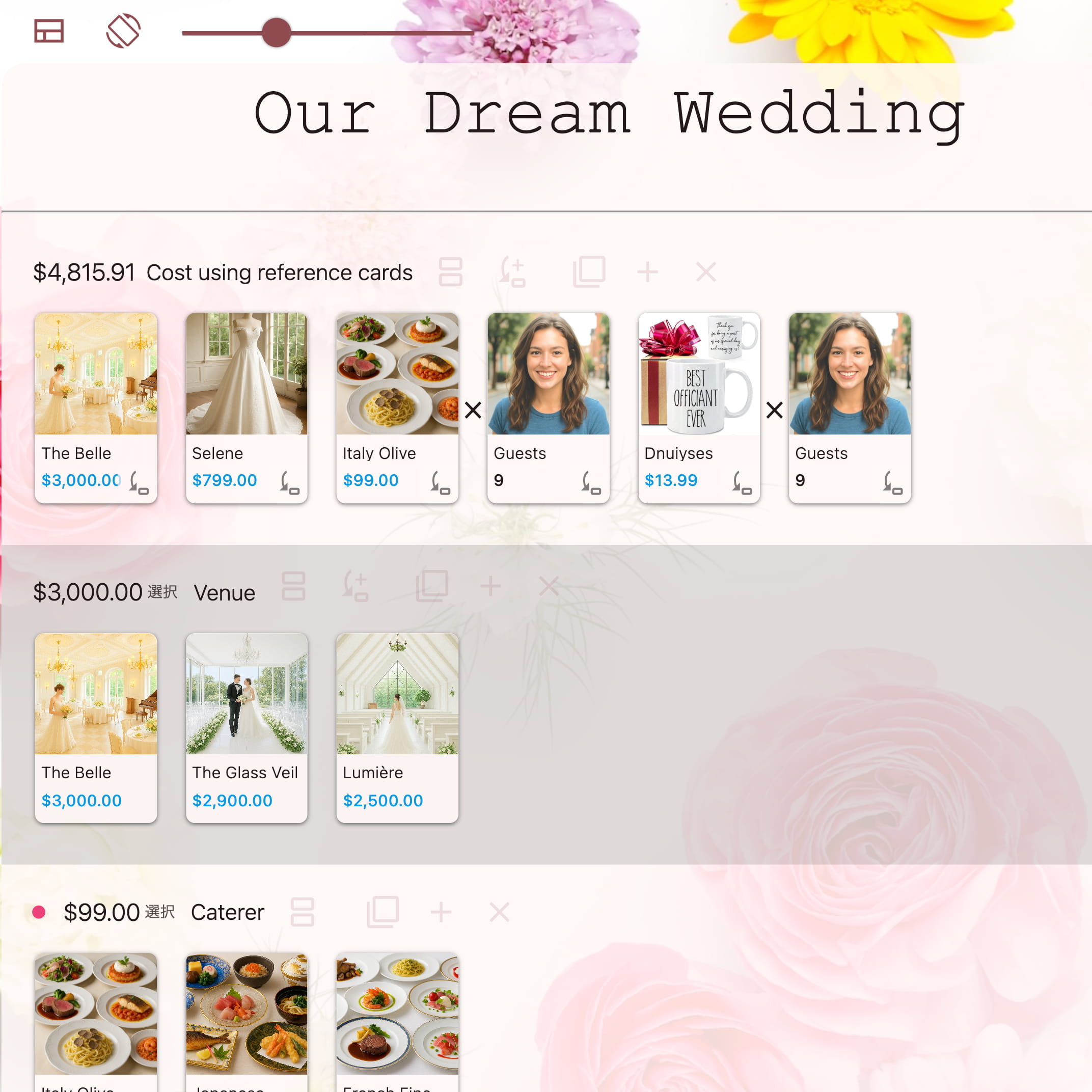
Arrange the cards to simulate like a spreadsheet — no formulas needed.
In face-to-face sales, you can create beautiful quotes on the spot.
Convert Foreign Prices
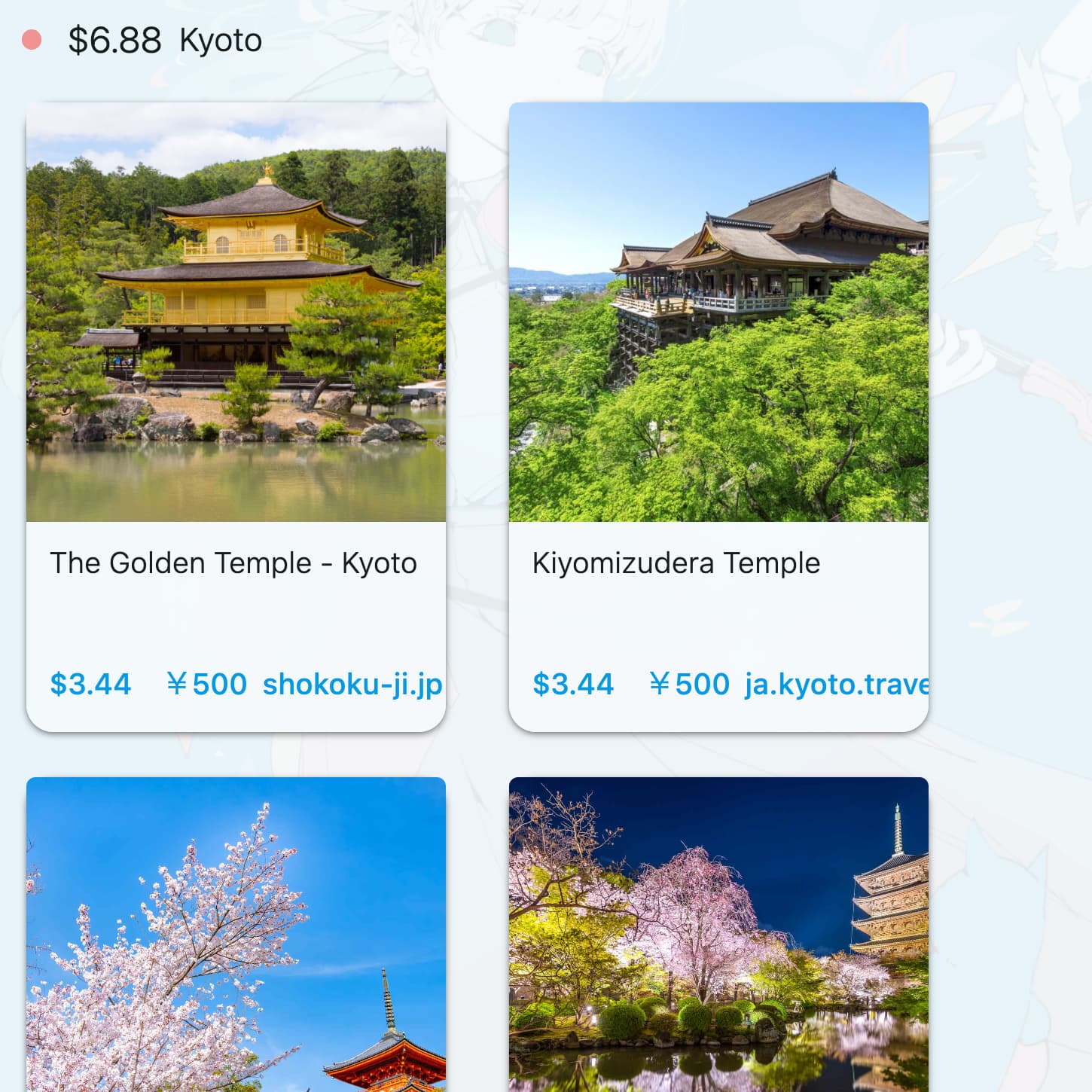
Supports "today's exchange rates" for 170 currencies. The total price is also displayed in your currency.
What can I do with moving the cards?
The features are integrated with the cards and work seamlessly.
- Bookmark product pages with prices and images — the Quick Bookmark.
- Prioritize product cards and ideas.
- Compare products from multiple shops side by side — the Comparator™.
- Coordinate clothes — Vertical View.
- View foreign prices in your currency — the Price Converter.
- Compare combinations such as cars with options and travel plans including total prices.
- Simulate budgets like a spreadsheet (even without formulas!) — Banban Calc.
- Present while building a visual quote during selling — Banban Calc.
- Manage budgets — Banban Calc.
- Manage tasks in Kanban-style.
- Clip and neatly paste descriptions and reviews from around the web. Even edit them.
- Any user can move cards.
- Multiple users can simultaneously edit card text and have it reflected in others' edits.
- Use built-in video meeting with Banban Board.
- Assisted by AI — friendly Happy the AI dog. (Coming soon)
- Add new features in JavaScript — Banban Script (Coming soon).
When you are not sure what to buy, just use Requests to ask on the map for offers.
How much is it?
No per-user monthly fees and free core features. Pay-as-you-use options with a free tier.
Beyond the free tier for data items, storage capacity, and AI usage, you have affordable options. For example: starting at around $0.6 for one user, or about $3 for five users.
You can choose between free and paid Land Domain Names.
The optional usage fees are based on each country’s cost of living and compensate for economic disparities between countries.


Is it for sellers?
Yes. For face-to-face sales ninjas, beautifully explain your products and simulate pricing for combinations with your customers.
If you create a new organization and invite your customers, they can simulate prices on their own until they’re fully satisfied. This will likely reduce discount requests.
Procurement and purchasing considerations become more efficient, along with internal decision-making.
Image Credits Please let us know if there are any issues.